
Set up your watering once, then let it run itself
FairGrow’s workflow builder connects your sensors, the weather forecast and your pump on one simple canvas. Drag a few blocks, draw lines between them, and FairGrow takes care of the watering, only when your plants actually need it.
Build it by dragging blocks
Every part of your watering is a block: a moisture sensor, the weather, the FairGrow decision engine and your pump. Drag them onto the canvas and connect them in the right order. The builder checks the logic for you, so a pump can never run without first knowing how wet the soil is.
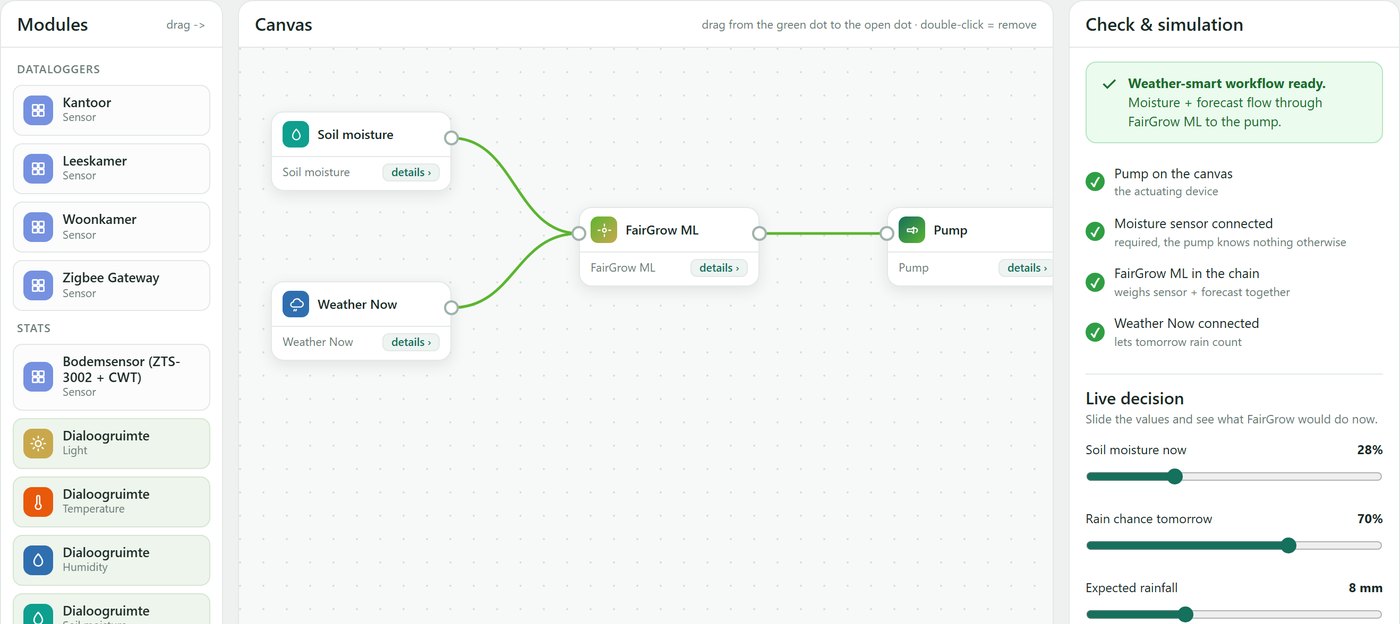
Three blocks, in the right order
You do not program anything. You just place the blocks and draw the connections. FairGrow does the rest.
Your sensors
A soil moisture sensor and the live weather forecast show what is happening in and above the ground.
FairGrow ML
The decision engine weighs the readings and the forecast together, and decides what should happen.
Your pump
The pump only acts on that decision. It waters, waits or gives a short top-up.
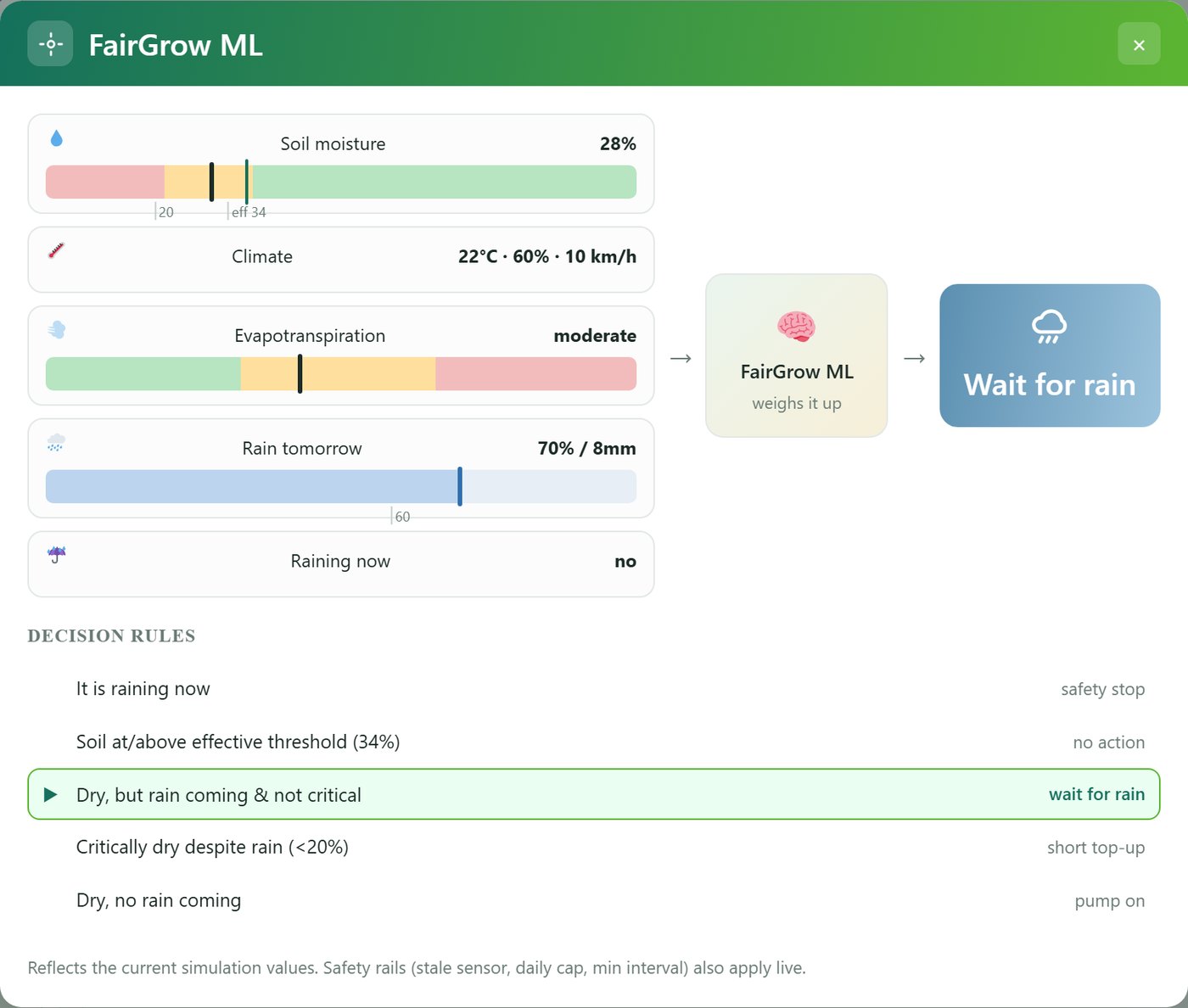
It decides the way a grower would
The pump itself is “dumb”. The intelligence sits in the FairGrow decision engine in the middle. It weighs the live soil moisture, the climate, evaporation and tomorrow’s rain, then makes a call.
- Heavy rain coming? It holds the pump back and lets nature do the work.
- Critically dry? It gives a small, careful top-up.
- Already wet enough? It does nothing at all.
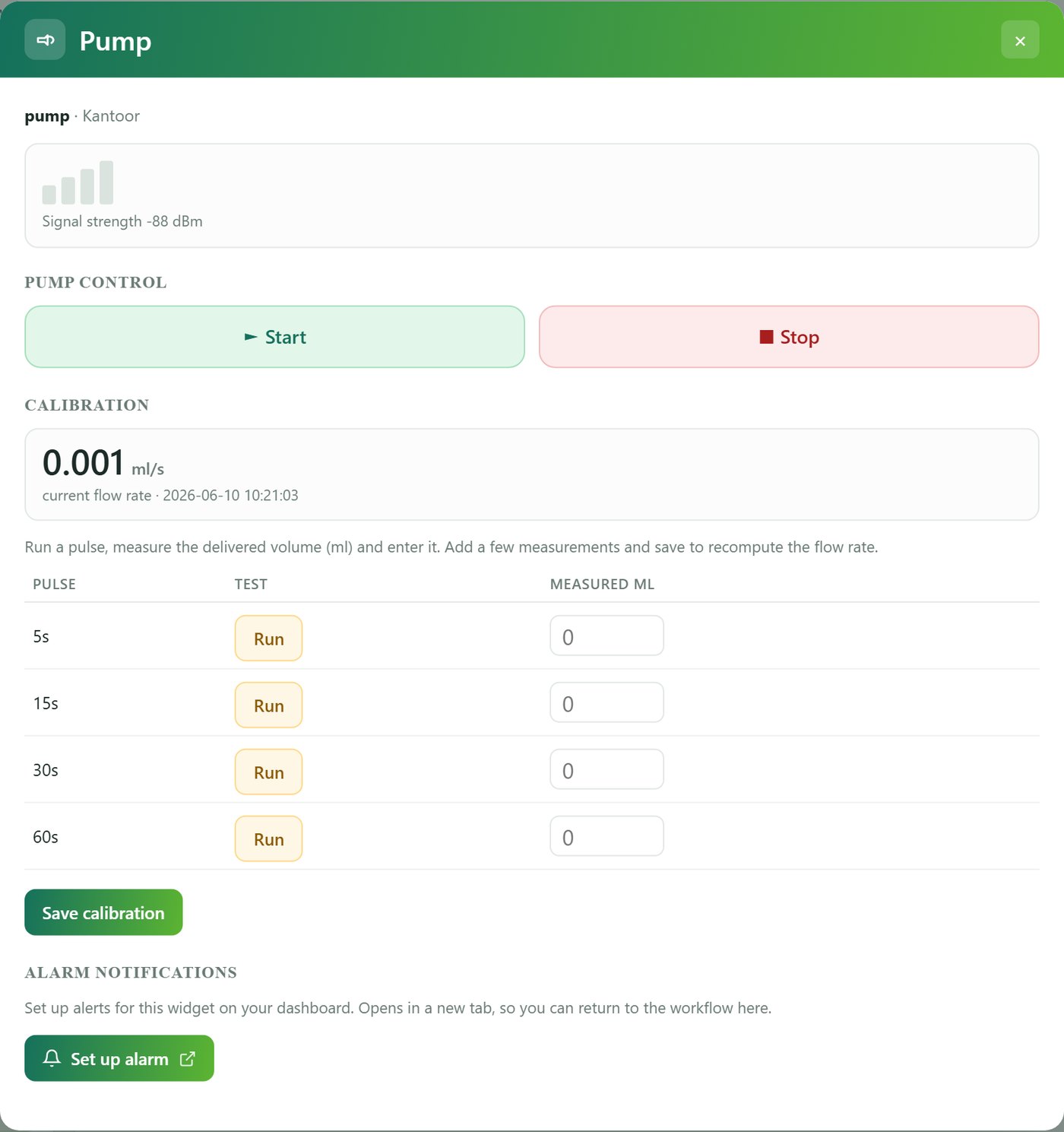
Safe by default
Autonomous watering only starts when you switch it on yourself. Until then, every zone just observes and logs. On top of that, strict safeguards are built in:
- Pulses, not open taps. The pump runs in short bursts that stop themselves.
- A daily cap and a minimum interval per zone, so it can never overwater.
- A stale-sensor guard. No fresh moisture reading means no watering.
- It stops at once the moment it starts raining.
Try it before you trust it
A live decision panel lets you adjust the values (soil moisture, rain, temperature and wind) with sliders and see exactly what FairGrow would do right now, with no guessing. When you are happy with how it behaves, you set the zone to live and arm it yourself.
Simple to set up, sensible in the field
Weather-smart
It uses tomorrow’s forecast, so it does not water right before the rain arrives. That saves water and protects your crop.
Safe by default
Nothing runs until you arm it. Pulses, a daily cap and a stale-sensor guard mean that if anything fails, the pump stays off.
No coding
Drag the blocks, draw the lines, done. If the combination does not make sense, the builder tells you.
One platform
It uses the same sensors and the same dashboard you already have. Nothing extra to learn.
Want watering that runs itself?
Tell us about your site and your pump, and we will show you how to set up an autonomous, weather-smart workflow, safely.
Wondering which sensors feed the workflow? See the right sensor in the right place →